
Subtotal $0.00

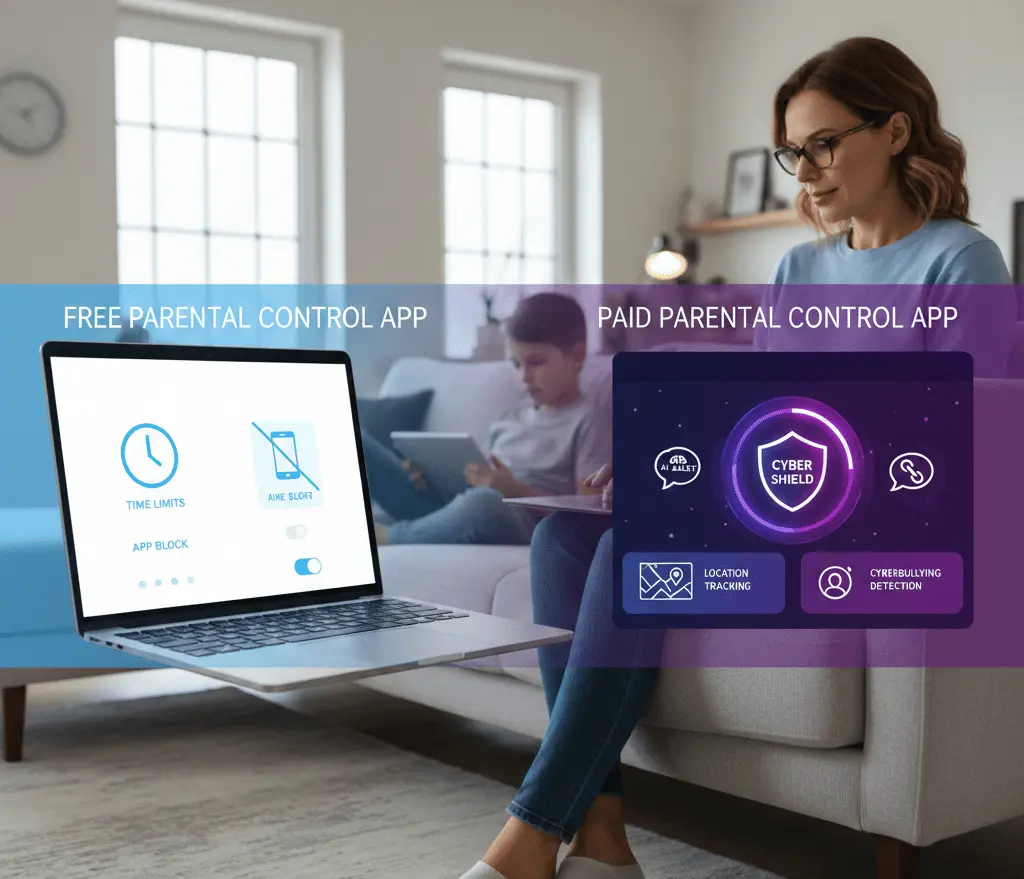
Free vs Paid Parental Control Apps: Which One Is Better for Child Safety in 2026?
The internet has become a permanent part of childhood. From online classes and gaming to social media and instant messaging, children are spending more time on smartphones, tablets, and computers than ever before. While digital access brings learning opportunities, it also exposes kids to cyberbullying, online predators, inappropriate content, social media risks, and data privacy threats.
This is why parental control apps, child monitoring software, and digital parenting tools have become essential for modern families.
But the big question is still:
Do you trust free parental control apps or buy a paid parental monitoring solution for better child online safety?
This comprehensive guide will cover:
- What parental control apps do in practice
- Difference between free and paid parental control software
- Comparison of Features
- Advantages and disadvantages
- Security vulnerabilities
- Legal and ethical issues
- Best choice for your child’s safety in 2026
Why Parental Control Apps Are Essential in 2026
Today’s kids are in danger that no previous generation has ever been in:
- Adult content exposure
- Social media addiction
- WhatsApp messages misuse
- Facebook surveillance issues
- Grooming online
- Phishing Attack
- Exploitation of gaming chats
- Dark Web Data Leak
- Identity Theft
As child cybercrime and online harassment increase, parents need proactive digital safety tools.
Parental control apps enable parents to:
- View a child’s phone activity
- Put a limit on screen time
- Block unsuitable websites
- Monitor social media use
- Turn on GPS location tracking
- Key Words: Cyberbullying
- Get real-time activity notifications
The real debate is free vs paid parental control apps.
What Are Free Parental Control Apps?
Basic digital monitoring tools, free parental control apps are limited in features and do not cost a subscription fee.
Big tech companies have built in parental controls . Some of them are :
- Family Link by Google
- Microsoft Family Safety
- Apple Screen Time
These free tools are mostly about screen time and app limits.
Features of Free Parental Control Apps
Most free parental monitoring apps will include:
Screen Time Control
Parents can set daily limits and bedtimes.
App Blocker
Restrict particular applications such as games or social media.
Fundamental Web Filtering
Limit access to websites for adults or that may cause harm.
Activity Reports
See basic reports about app usage.
Limited Device Location Tracking
Basic GPS tracking for kids.
Limitations of Free Parental Control Apps
Free apps are good for younger children but don’t have advanced monitoring features.
No fancy social media monitoring
Most free apps can not track:
- WhatsApp-Nachrichten
- Fb messages
- Instagram direct messages
- Snapchat messages
No Real Time Alerts
Parents don’t get immediate alerts for suspicious activity.
Limited detection of cyber bullying
No AI-powered keyword alerts.
No Call or SMS Tracking
No Geofencing
No alerts when a child exits or enters a specific location.
Limited Multi-Device Support
What Are Paid Parental Control Apps?
There are paid parental control apps that have professional monitoring for serious threats to children online.
Some of the best premium solutions include:
- Qustodio
- NortonLifeLock
- Kaspersky Safe Kids
The tools offer improved digital surveillance and cybersecurity.
Features of Paid Parental Control Apps
Paid apps typically include:
Advanced Social Media Monitoring
Monitor activity across platforms like:
- Snapchat
Real-Time Alerts
Instant notifications if:
- Suspicious keywords appear
- Explicit content is detected
- Cyberbullying signs are identified
Live GPS Location Tracking
Track child’s real-time location with geofencing alerts.
Call & SMS Monitoring
Monitor call logs and text messages.
AI-Based Cyberbullying Detection
Advanced algorithms detect harmful language patterns.
Smart Web Filtering
AI-powered filtering blocks inappropriate websites automatically.
Detailed Reports
In-depth analytics on device usage.
Multi-Device Monitoring
Monitor multiple devices under one dashboard.
Free vs Paid Parental Control Apps: Detailed Comparison
Feature | Free Apps | Paid Apps |
Screen Time Management | Basic | Advanced |
App Blocking | Limited | Full Control |
Web Filtering | Basic | AI-Based Smart Filtering |
Social Media Monitoring | Very Limited | Advanced |
WhatsApp Monitoring | No | Limited Alerts |
Facebook Monitoring | No | Yes |
Real-Time Alerts | Rare | Yes |
GPS Tracking | Basic | Live + Geofencing |
Cyberbullying Detection | No | AI-Based |
Call & SMS Monitoring | No | Yes |
Multi-Device Support | Limited | Yes |
Customer Support | Minimal | Dedicated Support |
Security Risks of Using Free Monitoring Apps
Not all free apps are reliable.
Some “free spy apps” can:
- Malware Containment
- steal personal information
- Share user information
- Offer fake tracking features
- Break privacy laws
Always download apps from official app stores and from trusted companies.
Are Paid Apps Worth the Money?
If your child:
- Often using social media
- has a smartphone with full internet access
- Play online multiplayer games.
- Chats with unknown people
- Is a teenager
Investing in paid parental control software can then go a long way in improving child cybersecurity.
Paid apps offer:
- Improved online threat protection
- More transparency in surveillance
- Quick response to suspicious activity
- Peace of mind for parents
Legal and Ethical Considerations
Parental monitoring must always be:
✔ Legal in your country
✔ Used for minor children only
✔ Transparent (age-appropriate communication recommended)
✔ Focused on protection, not spying
Healthy digital parenting combines trust and supervision.
Which Option Is Best for Different Age Groups?
Kids Under 10
Free parental control apps may be sufficient for:
- Screen time control
- App blocking
- Safe browsing
Pre-Teens (10–13)
Consider upgrading to paid tools if:
- They use messaging apps
- They access social media
- They play online games
Teenagers (14–18)
Paid parental monitoring software is strongly recommended due to:
- Higher social media exposure
- Increased risk of cyberbullying
- Online grooming risks
- Sexting threats
- Digital privacy concerns
Psychological Impact of Monitoring
Over-monitoring can damage trust. Best practices include:
- Open communication
- Explaining safety reasons
- Gradual monitoring reduction as maturity increases
- Encouraging responsible digital behavior
Digital safety should empower children, not control them excessively.
How to Choose the Best Parental Control App
When selecting a parental monitoring solution, check:
- Reputation of the company
- Data encryption standards
- Privacy policy transparency
- Feature list
- Customer reviews
- Compatibility with Android and iPhone
- Real-time alert capability
Final Verdict: Free vs Paid – What Should You Choose?
Choose Free Apps If:
- Your child is very young
- Budget is limited
- You only need basic screen control
Choose Paid Apps If:
- Your child uses WhatsApp or Facebook
- You need real-time alerts
- You want cyberbullying detection
- You need GPS tracking
- You want advanced online child safety
In 2026, digital threats are more sophisticated. While free parental control apps are useful for basic monitoring, paid parental control software provides stronger protection, deeper monitoring, and enhanced cyber security features.
Frequently Asked Questions
Q1. Are parental control apps safe?
Yes, if downloaded from reputable companies and official app stores.
Q2. Can parental control apps monitor WhatsApp messages?
Most free apps cannot. Some paid apps offer monitoring alerts but not full message access due to encryption.
Q3. Do parental control apps prevent cyberbullying?
Paid apps with AI-based monitoring can detect bullying keywords and send alerts.
Q4. Is GPS tracking legal?
Yes, parents can legally track minor children for safety purposes in most countries.
Q5. Can teenagers bypass parental control apps?
Some tech-savvy teens may attempt bypassing. Premium apps provide stronger tamper protection.
Conclusion
When it comes to protecting children online, the debate between free vs paid parental control apps ultimately depends on the level of digital risk your child faces.
Free apps are good for basic screen management.
Paid apps are better for complete child online safety and advanced cyber protection.
In a world of rising cyber threats, proactive digital parenting is no longer optional—it is essential.